 Cursor Flow
Wispr Flow Alternative for Windows and Android (Honest Look)
Looking for a Wispr Flow alternative on Windows or Android? Fair comparison of plans, free limits and features, and when Wispr Flow is the better pick.
On this page
I will be upfront: I make Cursor Flow, so I am not neutral. I have tried to be fair by using only facts from each company's own pages, checked on 10 November 2026, and by saying where Wispr Flow is the better choice.
Wispr Flow at a glance (from its own pages)
From Wispr Flow's pricing page and its plans help article:
- Platforms: dictation on Mac, Windows, iOS and Android. Notetaker on Mac and Windows.
- Free plan: speech-to-text in any app, 100+ languages, learns names and jargon, dictionary and snippets. On Mac and Windows, a 2,000-word weekly allowance with a 5,000-word maximum; dictation slows at the allowance and stops at the maximum until the Sunday reset.
- Pro: $15 per user per month, or $144 per year ($12 a month), with unlimited dictation.
- Security: Wispr Flow says it is SOC 2 Type II and ISO 27001 certified.
That is a strong product. If you are on a Mac and iPhone, or your team needs SSO and admin tools, Wispr Flow is likely a better fit than Cursor Flow.
Why people look for an alternative
From searches and community threads, the common reasons are:
- Price: $15 a month is a lot for occasional use.
- Free limit: 2,000 words a week on desktop runs out fast if you write all day.
- Speaking out loud: Any laptop-mic dictation means talking to your computer. In a shared office, that is the part many people struggle with.
- Platform mix: Some people want a tool focused on Windows plus Android working together.
The alternatives
1. Windows voice typing (free, built in)
Press Windows key + H in any text box. Microsoft says it needs internet and a working microphone. It has automatic punctuation you can turn on. It does not remove filler words, and on most PCs you get a plain transcript. On Copilot+ PCs, Microsoft offers Fluid dictation, which corrects grammar and filler words.
Best for: occasional short dictation at no cost.
2. Superwhisper
From Superwhisper's plans page: a free plan with unlimited dictation using local models, and Pro at $8.49 a month, $84.99 a year or $249.99 once. It runs on Windows 10 and 11 (x64 and ARM64), macOS, iOS and Android, and works offline.
Best for: people who want local processing and a lifetime option.
3. Voicy
From Voicy's pricing page: a free trial with 30 minutes of recording, Pro at $82 a year, Lifetime at $260, and a team plan. Mac, Windows, Linux, Chrome, iPhone and Android.
Best for: people who want a browser extension and a lifetime deal.
4. Cursor Flow
This is the one I build. From our pricing and site:
- Platforms: Windows 10 and 11, Android 9 or newer. No Mac or iPhone yet.
- Free plan: 2,500 words a week on your PC, no card.
- Paid: Individual $15 a month (you plus one person you gift), Power $25 a month. 14-day money-back on the first payment.
- 57 languages.
- Offline mode on the PC.
What is different is the focus. Cursor Flow is built for introverts in shared offices:
- Your phone as a close mic: Hold your Android phone near your mouth and speak softly. The words appear at your Windows PC cursor in any app. See phone as microphone.
- Typing on the phone when you cannot speak: The text still lands at your PC cursor.
- Phone-to-PC files, clipboard and Scan in the same app.
What it is not: it does not read lips or work with zero sound. You still need to speak, just quietly, or type.
It is also newer. Cursor Flow is in public beta, the Windows app is a direct download that is not code-signed yet, so SmartScreen may warn on install. That is worth knowing before you choose.
Side-by-side
| Wispr Flow | Superwhisper | Cursor Flow | Windows voice typing | |
|---|---|---|---|---|
| Windows | Yes | Yes | Yes | Built in |
| Android | Yes | Yes | Yes | No |
| Mac / iPhone | Yes | Yes | Not yet | No |
| Free tier | 2,000 words/week desktop | Unlimited with local models | 2,500 words/week | Free |
| Paid from | $12/month yearly, $15 monthly | $8.49/month | $15/month | Free |
| Phone as PC mic | Not a listed feature | Not a listed feature | Yes | No |
| Offline | Not listed | Yes | Yes, on PC | No (needs internet) |
| Languages | 100+ | 100+ | 57 | Microsoft's list |
"Not a listed feature" means I could not find it on their official pages. It does not prove they lack it.
Which should you pick?
- Mac and iPhone user, or a team needing admin controls: stay with Wispr Flow.
- Want local processing and a one-time price: Superwhisper.
- Light use, no budget: Windows voice typing.
- Windows plus Android, shared office, want to speak quietly or type on your phone: try Cursor Flow's free plan.
For a broader look, see how Cursor Flow compares with built-in tools on our compare page and the Windows dictation app page.
How to do this with Cursor Flow
- Install both apps. Get Cursor Flow for Windows and Android from the download page.
- Pair once. Open the phone app and scan the QR code shown on your PC. See pairing if you get stuck.
- Click into any text field, then speak or type. Speak softly into the phone held close, or type and tap Send. The words are typed at your PC cursor, in the app you already use.
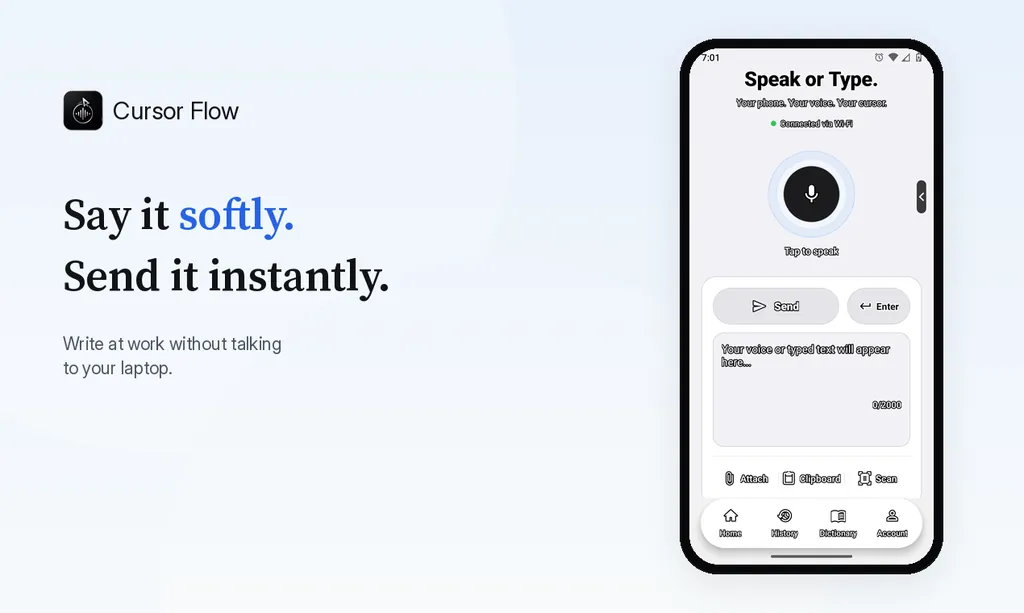
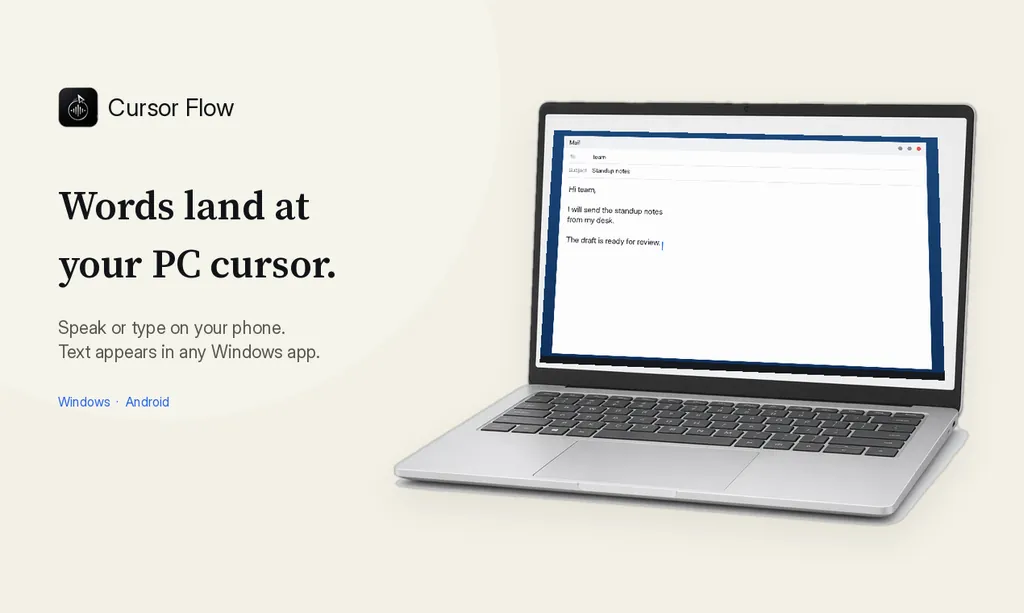
The free plan includes 2,500 dictation words a week, typing on your phone into your PC cursor, phone-to-PC files, images and clipboard, and Scan. See pricing, how phone to PC works, and typing at the cursor.
FAQ
Does Wispr Flow work on Windows?
Yes. Wispr Flow's pricing page lists dictation on Mac, Windows, iOS and Android.
How many free words does Wispr Flow give?
Wispr Flow's help center lists a 2,000-word weekly allowance on Mac and Windows for the Free plan, with a 5,000-word maximum, resetting Sunday at 12 a.m. PT.
How much is Wispr Flow Pro?
Wispr Flow lists Pro at $15 per user per month, or $144 per user per year, which works out to $12 a month.
What is the best free alternative to Wispr Flow on Windows?
Windows voice typing (Windows key + H) is free and built in. It needs internet and does not remove filler words, but it types into any app.
How is Cursor Flow different from Wispr Flow?
Cursor Flow is Windows plus Android only and is built around using your phone as a close, quiet mic for your PC, typing on your phone when you cannot speak, and sending files and clipboard from phone to PC.
If that focus fits you, download Cursor Flow and try the free plan on your own writing.
- 57languages
- 2,500free words a week
- Windows + Androidone paired workflow