 Cursor Flow
Introvert in an Open Plan Office: A Practical Survival Guide
Open plan offices drain many introverts. Practical ways to protect focus, energy and privacy at a shared desk, without asking for a private office.
On this page
- Why open plan offices drain introverts
- 1. Pick your seat on purpose
- 2. Make focus visible
- 3. Batch the social parts of your day
- 4. Move more of your work to writing
- 5. Make voice typing less public, if you use it
- 6. Protect one recovery block a day
- 7. Have a script for saying no
- 8. Talk to your manager about outcomes, not personality
- What not to do
- How to do this with Cursor Flow
- FAQ
- Keep reading
I am an introvert myself, and I work from a small room rather than a busy office. Still, the problem I built Cursor Flow around is one that comes up again and again from people in shared offices: everything at work feels a little bit public. This guide is about making that easier.
Why open plan offices drain introverts
The APA Dictionary of Psychology describes introversion as an orientation toward your inner world, and notes that introverts tend to be quieter and to prefer working independently. In daily life it shows up as energy. Many introverts enjoy people, but social and sensory input costs them energy, and quiet time gives it back. An open plan office keeps the input running all day:
- Background noise: Calls, chats and keyboards never fully stop.
- Interruptions: Anyone can walk up at any moment.
- Being seen: Your screen, your face and your voice are on display.
- No recovery space: There is nowhere to reset between tasks.
None of this means you are bad at your job. It means you are doing your job while paying an extra cost that others may not notice.
1. Pick your seat on purpose
If your office has free seating, your desk choice is the cheapest change you can make.
- Back to a wall: Fewer people walk behind you, and you stop checking your screen.
- Away from the kitchen, printer and doors: These are traffic hubs.
- Near other quiet workers: Seat neighbours shape your day more than the floor plan does.
If seats are fixed, it is still fair to ask. "I focus better away from the printer" is a simple, non-dramatic request.
2. Make focus visible
People interrupt because they cannot tell when you are busy. Give them a signal.
- Block focus time in your calendar and name it plainly, for example "Writing: report draft".
- Set your chat status to show you are focusing and when you will reply.
- Use headphones as a signal, and tell your team that a message is the best way to reach you during those blocks.
The point is not to be unreachable. It is to move interruptions from "any time" to "a few times a day".
3. Batch the social parts of your day
Introverts often do fine with social contact when it is planned. What drains us is contact that never ends.
- Do your check-ins, quick chats and questions in one or two windows.
- Go to lunch with people some days, and take a solo walk on others. Both are allowed.
- After a long meeting, give yourself ten quiet minutes before the next one if your calendar allows it.
4. Move more of your work to writing
Written communication suits many introverts. You get time to think, you can edit before sending, and nobody watches you do it. Ask for:
- Agendas before meetings, so you can prepare.
- Async updates in chat or docs instead of a daily round of talking.
- Written follow-ups after calls, so decisions are clear.
The catch is that writing all day is tiring for your hands. Voice typing is faster for first drafts, but most people feel awkward talking to a laptop with colleagues nearby. I wrote about that feeling in why voice typing feels awkward at work.
5. Make voice typing less public, if you use it
If you want the speed of dictation without performing for the room, the fix is mostly about the microphone.
- Use a close mic, like a headset or your phone held near your mouth, so you can speak softly.
- Dictate in short bursts rather than long paragraphs.
- Keep anything private for a private room, or type it.
This is the exact reason I built Cursor Flow: you speak quietly into your Android phone and the words appear at your Windows PC cursor, or you type on the phone when you cannot speak. You do not need it to follow the rest of this guide, but if writing volume is your biggest drain, it may help. More on that approach in how to write at work without talking to your laptop.
6. Protect one recovery block a day
Recovery is not laziness. It is maintenance.
- A short walk outside, alone.
- Ten minutes in an empty meeting room or a phone booth with no phone call.
- Eating lunch away from your desk.
Pick one and treat it like a meeting you cannot skip.
7. Have a script for saying no
Many introverts say yes to every request because saying no feels like a confrontation. A short script helps:
- "I can do that after 3 pm."
- "I am in the middle of a draft. Can you send me the details in chat?"
- "Can we do this in writing? I will reply properly by end of day."
Scripts work because you do not have to invent them under pressure.
8. Talk to your manager about outcomes, not personality
If the office really is hurting your work, raise it in terms of results. "I do my best writing in quiet. Could I book a focus room two mornings a week?" is easier to say yes to than "I am an introvert and I hate the open office."
Many teams also allow a mix of office and remote days. If yours does, use the office days for collaboration and keep the deep work for home.
What not to do
- Do not force yourself to be "on" all day. It usually leads to burnout, not promotion.
- Do not hide all day either: Some visibility matters for your career. Plan it rather than avoiding it.
- Do not assume everyone notices you: Most people are busy with their own work. The feeling of being watched is usually stronger than the reality.
How to do this with Cursor Flow
- Install both apps. Get Cursor Flow for Windows and Android from the download page.
- Pair once. Open the phone app and scan the QR code shown on your PC. See pairing if you get stuck.
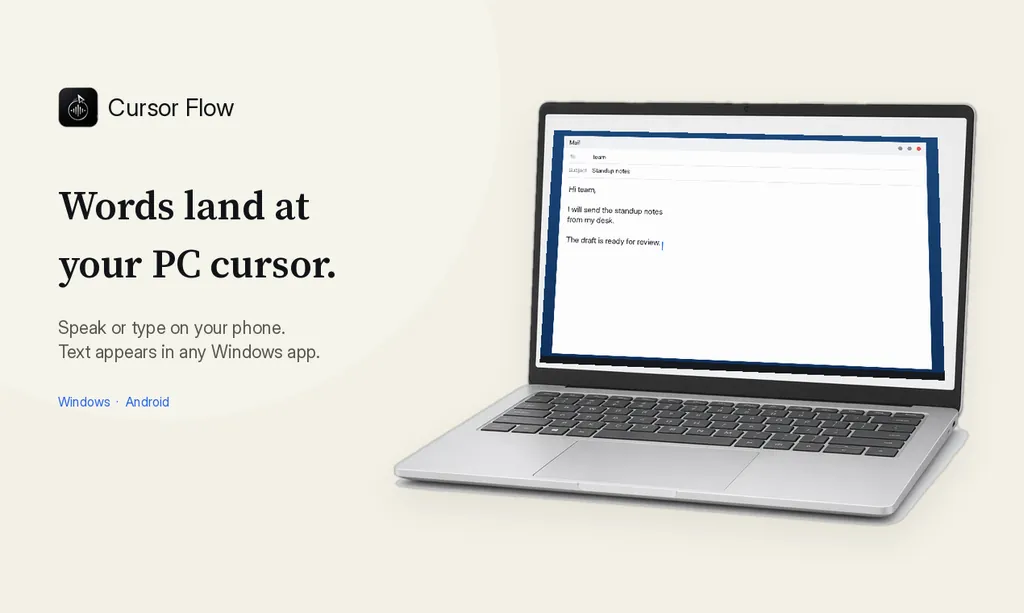
- Click into any text field, then speak or type. Speak softly into the phone held close, or type and tap Send. The words are typed at your PC cursor, in the app you already use.
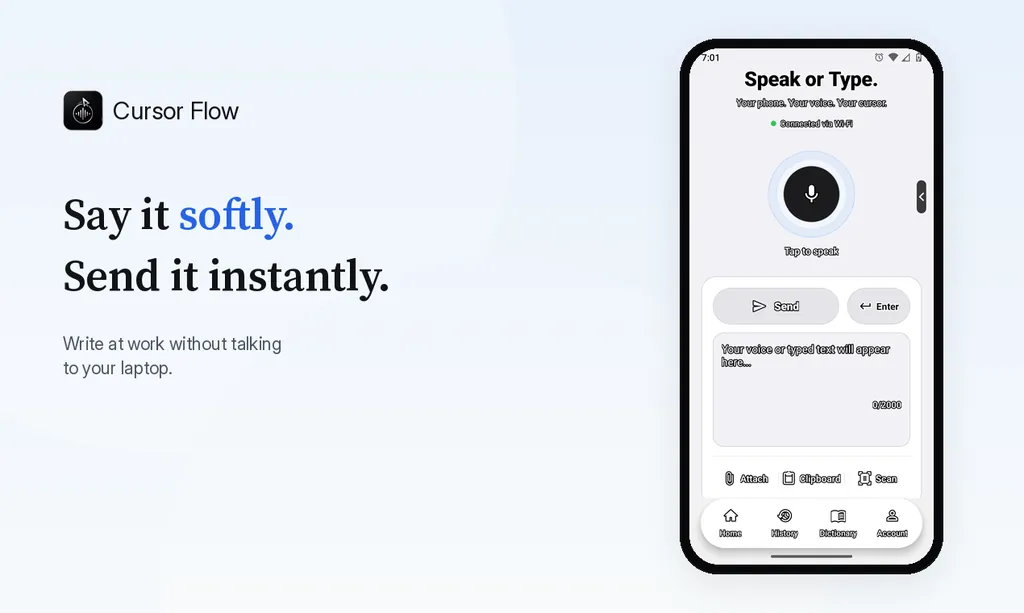
The free plan includes 2,500 dictation words a week, typing on your phone into your PC cursor, phone-to-PC files, images and clipboard, and Scan. See pricing, how phone to PC works, and silent typing from your phone.
FAQ
Why are open plan offices hard for introverts?
Introverts often recover energy in quiet and spend it in busy settings. An open plan office keeps you in a busy setting all day, with constant noise, interruptions and the feeling of being watched.
Can I ask my manager for a quieter workspace?
Yes. Frame it around output: say you do your best deep work in quiet and suggest something small, like a fixed desk in a calmer corner or two booked focus blocks a week.
Are noise cancelling headphones rude in an open office?
Usually not, as long as you stay reachable. Many teams treat headphones as a "focus" signal. Agree on a simple way for people to get your attention, like a chat message.
Is being an introvert a weakness at work?
No. Introversion is about where you get your energy, not about skill. Many introverts are strong at listening, written communication and careful thinking.
If writing at a shared desk is your biggest drain, you can try Cursor Flow free on your own PC. You can also read why I built it.
- 57languages
- 2,500free words a week
- Windows + Androidone paired workflow