 Cursor Flow
How to Ask for Quiet Work Time Without Seeming Unavailable
Need focus time or a quieter desk? How to ask your manager and team for quiet work time, with scripts that keep you clearly reachable.
On this page
- Why this is a reasonable request
- Decide what you are asking for
- How to ask your manager
- How to tell your team
- Stay visibly reachable
- Remote work communication boundaries
- Quiet ways to keep writing
- If quiet is a health need
- Mistakes to avoid
- How to do this with Cursor Flow
- FAQ
- Keep your writing quiet
- Keep reading
Many introverts worry that asking for quiet sounds like admitting they cannot cope. It does not. It is a request about how the work gets done.
Why this is a reasonable request
Focus is hard to get in most offices. Microsoft's Work Trend Index report on the infinite workday found that people using Microsoft 365 are interrupted on average every 2 minutes by a meeting, email or notification, and that nearly half of employees say their work feels chaotic and fragmented. Asking for protected time is a practical answer to a common problem, not a personal favour.
If the main issue is the noise around you, start with how to focus in a noisy office. This post is about the conversation.
Decide what you are asking for
Be specific before you talk to anyone. "I need more quiet" is hard to say yes to. These are easier:
- Focus blocks: two 90 minute blocks a week with no meetings.
- A quieter seat: a desk away from the walkway or kitchen.
- Quiet room bookings: permission to use a meeting room for writing.
- A remote day: one day a week at home for deep work.
- Fewer live updates: moving one status meeting to a written update.
Pick one or two. You can ask for more later once the first works.
How to ask your manager
Lead with the work
Start with the outcome. For example: "I want to get the monthly report done faster and with fewer errors."
Name the problem briefly
"Most of my writing gets broken up by calls and chats near my desk."
Suggest one change and a trial
"Could I block Tuesday and Thursday mornings until 11:00 for focus work, for the next month? I will keep chat open for anything urgent."
Offer a check-in
"Let's look at it again at the end of the month."
Full script
"Hi Sam, I want to get the monthly report out faster. Right now most of my writing gets broken up by calls and chats near my desk. Could I block Tuesday and Thursday mornings until 11:00 for focus work for the next month? I will keep my phone on for anything urgent and reply to everything else straight after. Can we review it at our next one to one?"
It is short, it is about the work, and it has an end date. Managers find those easy to approve.
How to tell your team
Once your manager agrees, tell the team in one message:
"Heads up: on Tuesday and Thursday mornings until 11:00 I am doing focus work. I will check messages at 11:00. If something is urgent, call me or put URGENT at the start of the message."
Then set your calendar and chat status to match. Use the same wording every week.
Stay visibly reachable
The fear behind this topic is looking unavailable. These habits prevent that:
- Clear status: "Focusing until 11:00. Urgent: call me."
- Fast replies after: answer everything within 30 minutes of your block ending.
- Share the results: mention what you finished in your next update.
- Be flexible for real emergencies: if someone truly needs you, help, and do not make them feel bad.
- Keep some social time: join the lunch or the coffee chat you actually enjoy.
Remote work communication boundaries
At home the problem is often the opposite: no noise, but constant pings. The same rules work:
- Set working hours in your chat tool.
- Turn off notifications for channels you only need to read once a day.
- Agree with your team which messages need a quick reply and which can wait.
- Use written updates instead of calls where possible. There is a full guide on replacing meetings with async updates.
Quiet ways to keep writing
Part of what makes quiet work possible is writing in a way that does not disturb others or put you on display. If you dictate at your desk, speaking out loud to a laptop can feel exposed. I wrote about that feeling in why voice typing feels awkward at work.
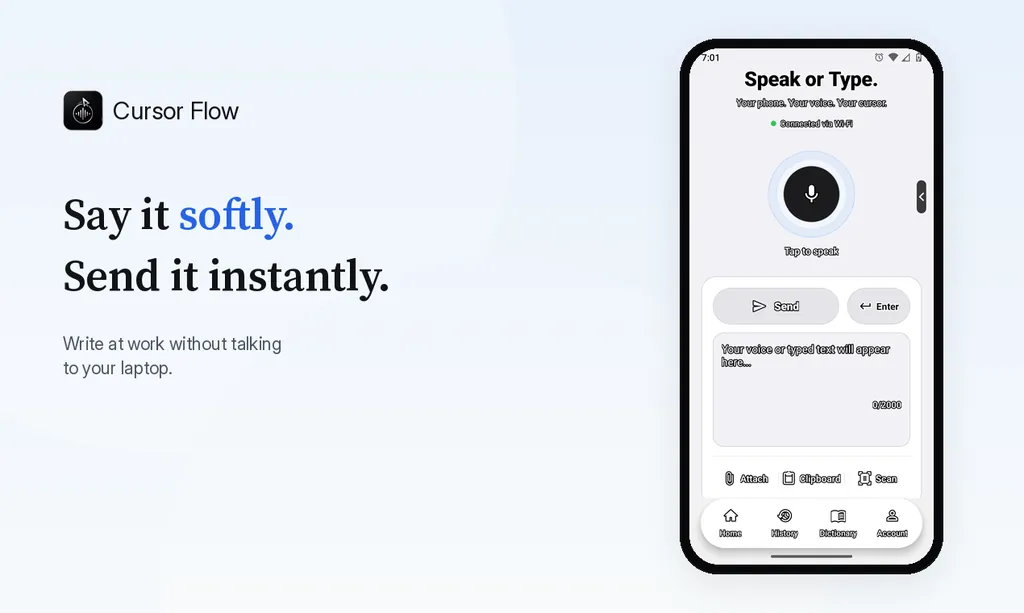
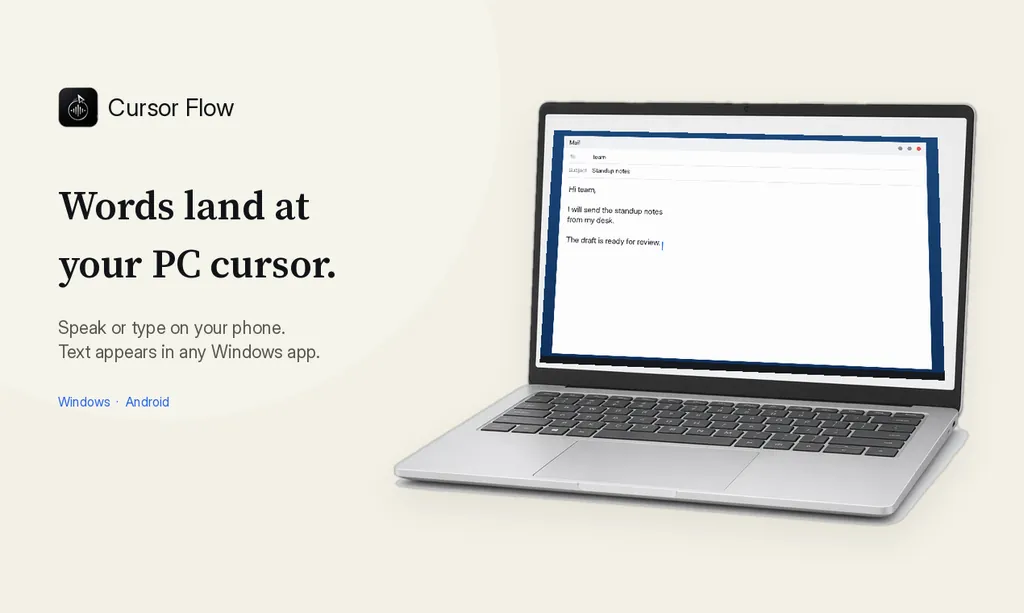
Cursor Flow is one option here. You speak softly into your phone held close to your mouth, and the text types at the cursor on your Windows PC. When you cannot speak at all, you can type on the phone and the text appears in the same place. For more ideas, see how to write at work without talking to your laptop.
If quiet is a health need
If noise or constant interaction affects your mental health, quiet time may be more than a preference. In many countries you can ask for workplace adjustments for a health condition, such as a quieter workspace. Talk to HR or a doctor if this applies to you. You do not have to share a diagnosis with your whole team.
Mistakes to avoid
- Asking for "no interruptions ever": Ask for blocks, not walls.
- Complaining about named colleagues: Talk about the work and the space instead.
- Changing your blocks every week: Predictable blocks are easier to respect.
- Going silent: Always say when you will be back.
How to do this with Cursor Flow
- Install both apps. Get Cursor Flow for Windows and Android from the download page.
- Pair once. Open the phone app and scan the QR code shown on your PC. See pairing if you get stuck.
- Click into any text field, then speak or type. Speak softly into the phone held close, or type and tap Send. The words are typed at your PC cursor, in the app you already use.
The free plan includes 2,500 dictation words a week, typing on your phone into your PC cursor, phone-to-PC files, images and clipboard, and Scan. See pricing, how phone to PC works, and silent typing from your phone.
FAQ
Is it OK to block focus time on my calendar?
In most teams, yes, as long as it is predictable, labelled clearly and leaves time for meetings. Tell your manager first so it does not look like you are hiding.
How do I ask for a quieter desk?
Describe the work that suffers, suggest one specific desk or area, and offer a short trial. Keep it about the work, not about colleagues being loud.
What should my status say during focus time?
Something like: Focusing until 11:00. For urgent things, call or message with URGENT. That shows when you will be back and how to reach you.
What if my manager says no?
Ask what would work instead, such as a shorter block, a different day or a quiet room booking. If the noise affects your health, you can ask HR about workplace adjustments.
Will asking for quiet time make me look antisocial?
Not if you stay easy to reach and visibly responsive outside your focus blocks. Reply quickly after each block and share what you finished.
Keep your writing quiet
If talking to your computer is part of the noise problem, download Cursor Flow and try soft voice typing or typing from your phone.
- 57languages
- 2,500free words a week
- Windows + Androidone paired workflow