 Cursor Flow
How to get out of talking at work without going quiet
You can cut most of the talking at work without looking rude. Scripts for calls, meetings and small talk, plus a way to write without speaking.
On this page
- What office workers actually mean by getting out of talking
- Why writing beats talking more often than people think
- Three scripts that cover most of it
- Make the quiet routine visible
- Writing without talking out loud
- Getting through the talking parts you keep
- Small talk, in small doses
- What to say when someone asks why you are quiet
- Mistakes that backfire
- A short plan for this week
- The free plan, in plain terms
- How to do this with Cursor Flow
- FAQ
- Keep reading
I am an introvert. I build Cursor Flow because talking at my desk was the part of my day I dreaded most, and this guide is the version of that problem I hear most often from office workers: I do not hate people, I just do not want to say everything out loud. Nothing here asks you to become a different person, and nothing here is about hiding from your team.
What office workers actually mean by getting out of talking
When people search for this, they usually want one of four things.
- Fewer interruptions: Colleagues walk over and start a conversation that eats twenty minutes.
- Fewer calls: You would rather answer in writing than be put on the spot.
- Writing instead of dictating out loud: You want words on the screen without hearing your own voice in the room.
- Less small talk: The work is fine, the hallway chat is what drains you.
Each of those has a practical fix that does not require a personality change. Pick the one that fits your day instead of trying all four at once.
Why writing beats talking more often than people think
Work is mostly written now. Tickets, pull requests, chat threads, shared documents and email reviews all reward a clear written answer, and a written answer can be read twice, quoted and searched later. A spoken answer disappears the moment it is said.
That is why teams keep moving status updates out of meetings and into written threads: the information survives, the quiet people in the room get the same time to think, and nobody has to remember what was agreed in the last ten minutes of a call.
It also means you can be genuinely useful without being loud. A short, specific written comment often lands better than a spoken one, because people read it with full attention instead of half-listening while checking email.
Three scripts that cover most of it
You do not need a new script for every situation. Most requests in an office can be answered with one of these three, and the trick is to have them ready before the moment arrives.
1. Move it to writing
"Can you put that in a message? I will reply properly in the next hour."
This works for questions asked across the desk, quick "do you have a minute" requests, and anything that would otherwise become a long conversation. Say it warmly, then actually reply. People stop interrupting when the written reply is always good and always arrives.
2. Follow up in writing
"Thanks, I will send a short summary by email so we both have it."
Use this at the end of a call or a hallway conversation. It closes the talking politely, and it moves the remaining detail into a channel you handle well. It also protects you: if something was agreed verbally, your summary is the record.
3. Schedule the call you cannot avoid
"I can go through this on a call at 11:00. Can you send the details before then?"
Some things are faster by voice, and pretending otherwise costs you credibility. Booking a specific short slot, with the agenda in writing in advance, turns an unpredictable call into a task you can prepare for.
A fourth line is worth keeping for the harder moments: "I am heads down until 3, can it wait or go in chat?" It is a sentence a lot of confident people use, and it says what you need without explaining your personality.
Make the quiet routine visible
Silence at a desk is easy to misread as absence. The people who work quietly and get noticed usually make their work visible in three cheap ways.
- Post a short update before anyone asks: Two lines: what moved, what is next.
- Comment in the thread, not in the hallway: Written comments build a record of your thinking.
- Ask one prepared question per meeting: You do not have to speak often, only once with something useful.
This is the difference between being quiet and being overlooked. The quiet part is fine. The invisible part is what hurts careers.
Writing without talking out loud
Here is the part that is mostly a tool problem. If you want to produce text faster than you type but you do not want to speak across the office, there are three honest options.
| Option | What it sounds like in the room | Where the words end up |
|---|---|---|
| Type on the laptop | Nothing | The app you are in |
| Dictate quietly into a phone held close | A low murmur at most | The app on your PC, at the cursor |
| Dictate to the laptop microphone (Win+H) | Full voice, audible at nearby desks | The app you are in |
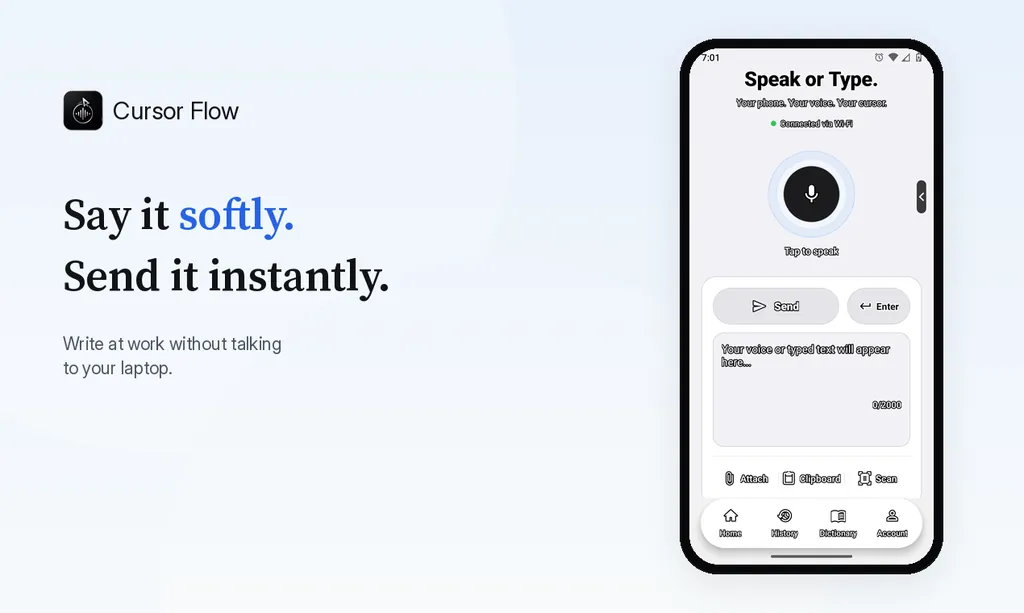
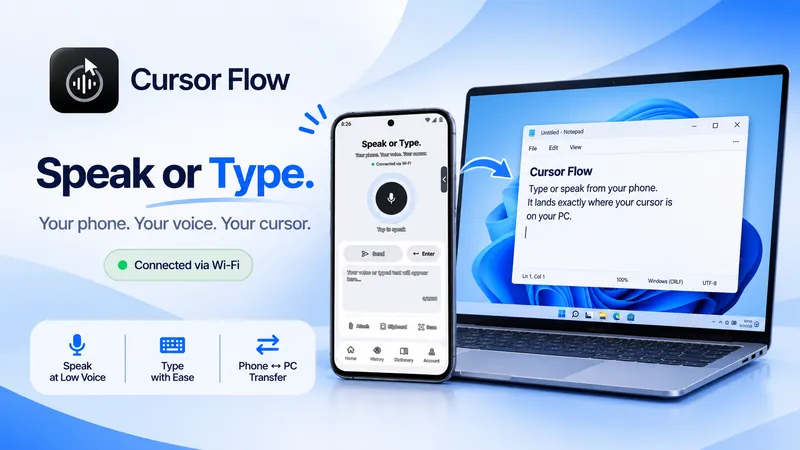
The middle row is what Cursor Flow is built for. You hold your phone close, speak softly or whisper, and the words are typed at the cursor of whatever app is open on your Windows PC. When you cannot make any sound at all, you type on the phone and send that instead, and the same flow still puts it on the PC.
What it does not do: it does not make you silent, and it does not read lips or thoughts. If the room is dead quiet, a soft voice is still a voice. You can read more about the limits in whisper voice typing and the research side in voice typing without speaking aloud.
Getting through the talking parts you keep
Some meetings, calls and reviews are not optional, so the aim is to make them cheaper rather than to avoid them.
- Write before you speak: One or two lines on paper, said once in the first ten minutes, is worth more than a perfect comment at the end.
- Ask for the agenda: A meeting with an agenda is work. One without is a conversation with a chair.
- Take the notes: Note-taking is a respected role that keeps you in the room with a reason to be quiet, and it puts the summary in your hands.
- Leave after the useful part: If the last ten minutes are other teams chatting, slipping away quietly is normal office behaviour.
For scripts on speaking up when you decide to, see how to speak up in meetings as an introvert.
Small talk, in small doses
Full avoidance of small talk costs you more than it saves, because colleagues read quiet as unfriendly and that is the reputation that sticks. Aim for short and warm instead of long and empty.
- Greet people by name and move on. A greeting is not a conversation.
- Keep two or three neutral topics ready: the weather, the commute, something you actually did at the weekend.
- Use the exit line: "Good to see you, I need to get back to this."
- Take lunch breaks away from the desk sometimes. Presence in short bursts beats a whole day at the edge of every conversation.
If the whole floor drains you rather than just the small talk, the bigger fixes are in surviving an open plan office as an introvert and open office anxiety.
What to say when someone asks why you are quiet
"I do my best thinking in writing" is a complete answer, and it is usually true. Add the useful part so it does not sound like a complaint: "if it is urgent, call me, otherwise a message is quickest."
This is the same idea as asking your manager for quiet work windows, which works better when you frame it around results. The wording for that request is in how to ask for quiet work time.
Mistakes that backfire
- Going silent without saying why: People fill the gap with the worst explanation. Tell your team how you prefer to be reached.
- Avoiding every meeting: The meetings where decisions happen are the ones you cannot skip if you want your work to count.
- Answering in writing but late: A written reply that arrives the next day reads as avoidance. Fast and short beats long and slow.
- Pretending to be extroverted all day: That is how burnout starts, and it is covered honestly in introvert burnout at work.
A short plan for this week
- Pick the two interruptions that cost you the most time and answer them with the redirect script.
- Write one three-line update where people usually ask you for status.
- Set up one quiet way to write faster, such as typing on your phone or a soft-voice setup, and test it on a real email.
- Say one prepared point early in your next meeting.
The aim is not a silent work life. It is a work life where your words reach people in the form you are best at, and where the talking that remains is short, planned and yours.
The free plan, in plain terms
The free plan includes 2,500 dictation words a week, typing on your phone into your PC cursor, phone-to-PC sending of files, images and clipboard, and Scan. No card needed.
How to do this with Cursor Flow
- Install both apps. Get Cursor Flow for Windows and Android from the download page.
- Pair once. Open the phone app and scan the QR code shown on your PC. See pairing if you get stuck.
- Click into any text field, then speak or type. Speak softly into the phone held close, or type and tap Send. The words are typed at your PC cursor, in the app you already use.
The free plan includes 2,500 dictation words a week, typing on your phone into your PC cursor, phone-to-PC files, images and clipboard, and Scan. See pricing, how phone to PC works, and typing at the cursor.
FAQ
How do I talk less at work without seeming rude?
Move the detail into writing and say why in the same sentence: "Can you put that in a message? I will reply properly in the next hour." People accept it when the reply actually comes, and it turns a long interruption into a short one.
Is it okay to ask colleagues to message instead of calling?
Yes, as long as you are clear and fast. Say how to reach you for urgent things, keep written replies quick, and use a call for the topics that genuinely need a conversation.
Can I write at work without speaking at all?
Yes. You can type on your phone and send the text to your Windows PC cursor, which stays silent. Soft voice typing into a phone held close is much quieter than talking to a laptop, but it is not truly silent.
Will being quiet stop me from getting promoted?
Being invisible can. Quiet itself is fine. Post short updates, comment in the thread, and say one prepared point in meetings so your work is visible without a personality change.
- 57languages
- 2,500free words a week
- Windows + Androidone paired workflow
 Cursor Flow